


Streamlining SOLIDWORKS File Management with xLM’s Custom AddIn
ByxLM Solutions
Discover how xLM Solutions' SOLIDWORKS Set Filename Based on 'Part Number' Property AddIn can transform your file management process

Efficiency and precision in data handling are paramount in PLM/PDM. At xLM Solutions, we understand the intricacies of these complex environments and the need for tools that streamline operations and improve accuracy. Our latest offering, the SOLIDWORKS Set Filename Based on "Part Number" Property AddIn, exemplifies our commitment to enhancing your PLM experience.
Introduction to the SOLIDWORKS Set Filename Based on "Part Number" Property AddIn
This custom AddIn is designed to simplify the file saving process in SOLIDWORKS by automatically setting filenames based on a configurable property, such as the part number. This ensures that file names are consistent and accurate, reflecting the part number directly in the file name, thus reducing errors and saving valuable engineering time.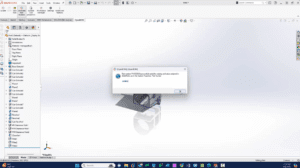
How It Works
When you save a file in SOLIDWORKS, the AddIn automatically extracts the part number from the file’s properties and uses it as the filename. This integration not only minimizes manual data entry but also ensures that the document management process aligns with organizational standards and practices. This tool is demonstrated in conjunction with OpenBOM, a leading PLM system, to show how seamlessly it integrates with other software to provide a comprehensive solution. Ready to see the tool in action? Watch the demo now.Beyond Tools: Comprehensive PLM Services by xLM Solutions
At xLM Solutions, the SOLIDWORKS AddIn is just a part of our extensive toolkit designed to optimize your PLM processes. We offer end-to-end services that cover every aspect of PLM application, including:- Data Migration: We ensure smooth and accurate migration of data across different PLM systems, minimizing downtime and data loss.
- PLM Integration: Our expertise includes integrating PLM systems with other enterprise tools to enhance data consistency and availability across departments.
- Customization and Implementation: We tailor PLM systems to meet the specific needs of your business, ensuring that your PLM setup perfectly aligns with your operational requirements and goals.
- Custom PLM Tools: We’re proud to offer custom tools and processes for 3DEXPERIENCE, SOLIDWORKS, ENOVIA SmarTeam, Aras, OpenBOM and more. If you don’t see exactly what you’re looking for, we’ll create it! Let us know.