


Intelligent Part Numbering in 3DEXPERIENCE Using EIN
ByMarc Young, xLM Solutions
xLM’s Marc Young explores 3DEXPERIENCE's Enterprise Identification Number (EIN) mechanism and how you can enable intelligent part numbering with a clear, standards-driven structure. You’ll see how controlled user input and prefix-based sequencing help teams stay consistent without adding friction to the engineering workflow.

Part numbering is one of those foundational topics within the PLM industry. It is a key aspect of managing data and effecting how all parties in an organization interact with parts and how they are designed, purchased, manufactured, supported within and outside the company.
In practice, the part number is one of the most-used reference points in an engineering organisation. People rely on it to confirm they’re looking at the right item, to communicate across teams, and to keep work moving without constant translation. When numbering is inconsistent, overly manual, or too easy to bend, it becomes a quiet source of friction that shows up everywhere: searching, reuse, revisions and handoffs.
There is always the debate whether there should be an intelligent part numbering system in place or a dumb simple incremental number. This blog is not to debate what is best, and I feel there are pros and cons to both options. Though if intelligent part numbering is the way to go this blog will discuss how you can set up per out of the box functionality intelligent part numbering system in 3DEXPERIENCE.
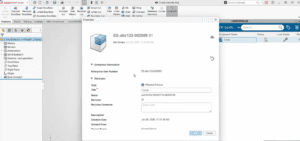
In a recent video walkthrough, I showed a straightforward way to create intelligent part numbering in 3DEXPERIENCE using the platform’s Enterprise Identification Number (EIN) mechanism. The goal isn’t to make numbering complicated. It’s to make it deliberate — structured enough to guide behaviour, but practical enough that teams will actually use it.
The focus here is on a platform-native approach using EIN. For teams that need more complicated part numbering, we recommend an EKL-based tool with added controls like dash numbering and duplicate checks, see our 3DEXPERIENCE Smart Part Numbering Using EKL overview and demo.
Why “intelligent” matters here
When I say “intelligent,” I’m not talking about buzzwords. I’m talking about a number that’s built from rules instead of habit. In the demo, the part number follows a clear pattern:- a prefix the user selects
- a user-entered segment limited to six characters
- a counter that increments based on the prefix selected